問題の概要
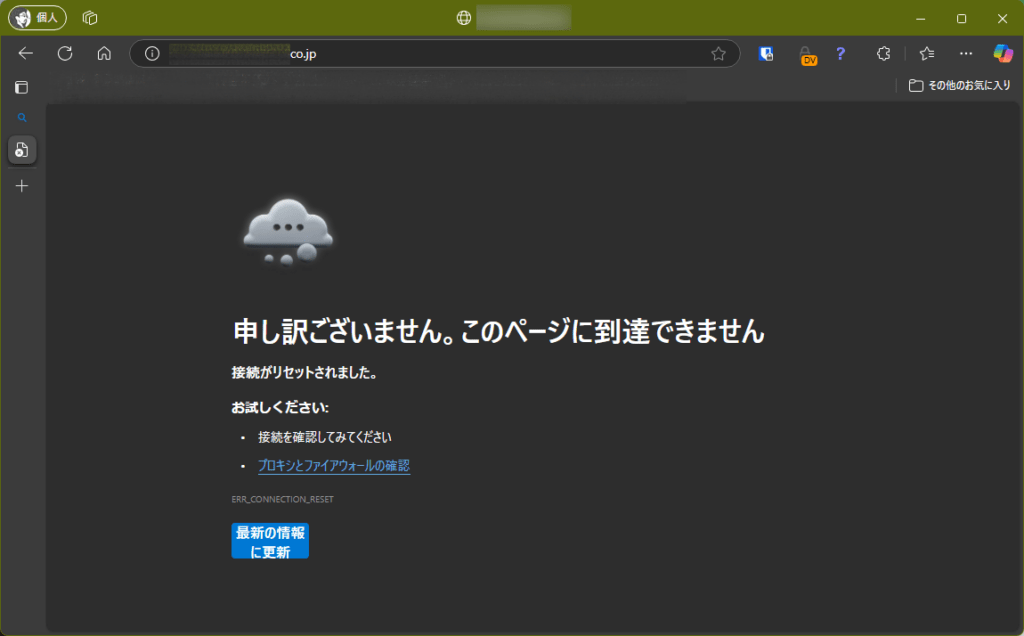
Microsoft EdgeおよびGoogle Chromeで某珈琲店のWebサイトを閲覧しようとすると接続できませんでした。Firefox では正常に表示できることから、ブラウザ固有の問題と考えていました。がどうやらFortiOSの動作の変更が入ったようで・・・
確認環境
この問題は以下の環境で確認しました:
- Windows 11 Pro 24H2
- Microsoft Edge 134.0.3124.93(公式ビルド)(64ビット)
- Mozilla Firefox 136.0.4(64ビット)
- FortiGate 100E(FortiOS 7.2.11、トランスペアレントモードで稼働)
エラー発生時の状況
接続できない場合のエラー画面
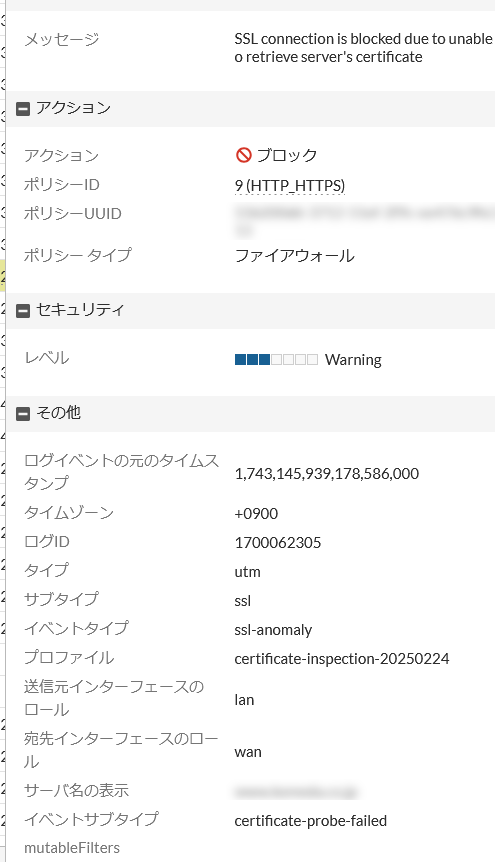
Fortigateのlog
原因
問題の原因は、FortiGateファイアウォール(バージョン7.2.11)のSSL/SSHインスペクション設定にありました。FortiOS 7.2.11にアップグレードした後、デフォルトでサーバ証明書のSNIチェックが有効になっていることが問題でした。
FortiOS 7.2.11のリリースノートの「デフォルト動作の変更」セクション(公式リリースノート)にも、この変更について記載されています。アップデート後にこうした接続問題が発生する可能性があることが明記されていました。
解決方法
Fortinet公式コミュニティの記事(How to fix ‘SSL connection is blocked…’)を参考に、解決方法として、サーバ証明書SNIチェックを無効に設定しました。これは、証明書検証失敗時の動作を全面的に許可するよりも、限定的な変更でセキュリティへの影響が少ない方法と思ったからです。

リリースノートにも記述あり

サーバ証明書SNIチェックを無効に設定しました(コミュニティの記述と若干違います):
config firewall ssl-ssh-profile
    edit "profile_name"
        config ssl
            set sni-server-cert-check disable
        end
end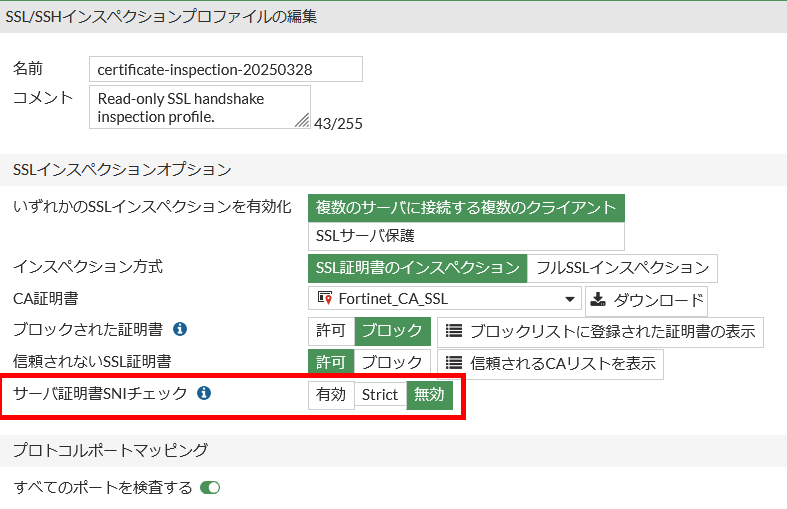
実際の設定について
公式ドキュメントでは config https の中に sni-server-cert-check パラメータがあるとされていましたが、実際には config ssl の中にこのパラメータがありました。トランスペアレントモードで動作させているため、設定コマンドが一部違うのかもしれません。
ちなみにコミュニティの記述
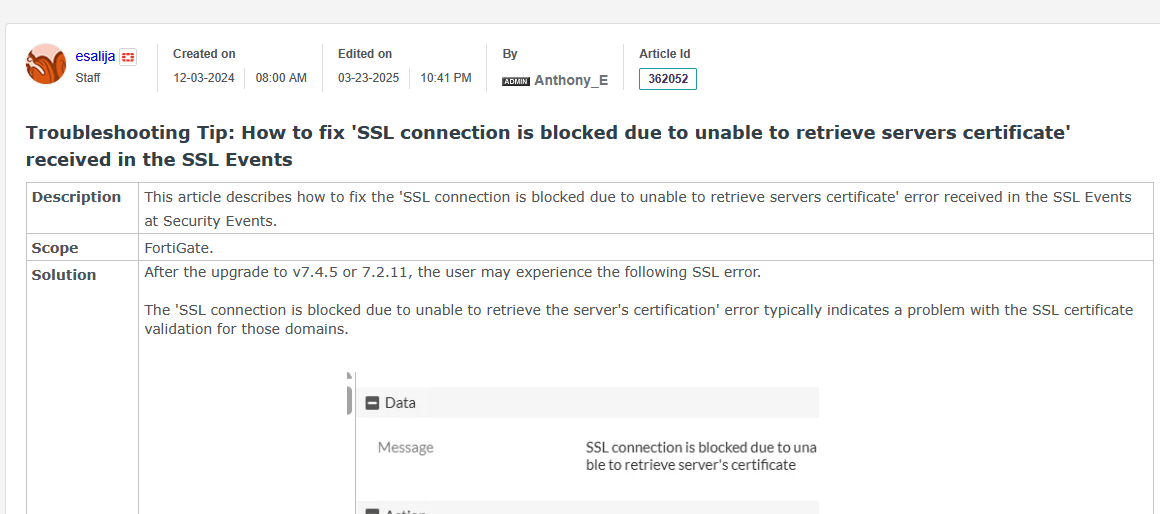
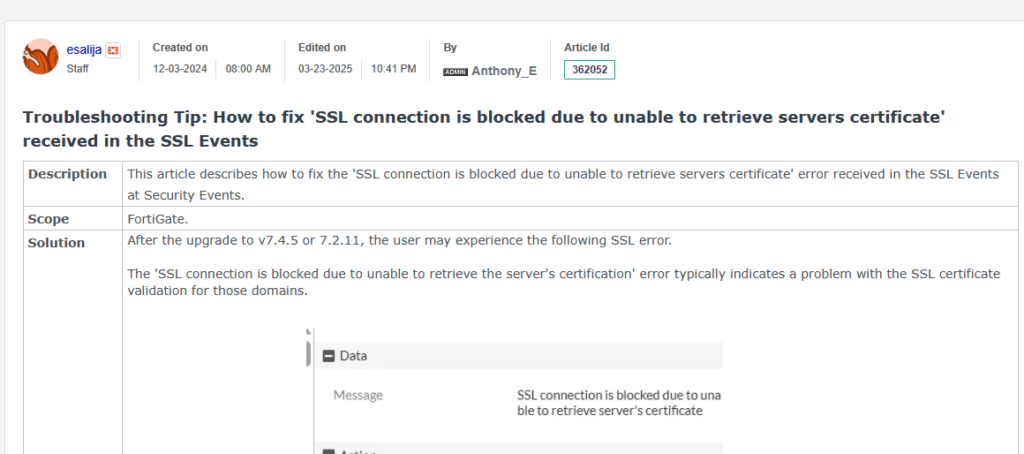
After the upgrade to v7.4.5 or 7.2.11, the user may experience the following SSL error.
The ‘SSL connection is blocked due to unable to retrieve the server’s certification’ error typically indicates a problem with the SSL certificate validation for those domains.
Solution 1:
The root cause of this issue is that since versions 7.4.5 or 7.2.11, the action for the setting ‘set cert-probe-failure’ will be considered and the action will be set to ‘block’ by default. To avoid this issue, change the action to allow using the following commands:
config firewall ssl-ssh-profile <—– This command is used to modify the SSL-ssh inspection profile.
edit “profile_name” <—– This command is used to modify the configured inspection profile.
config https <—– This command is used to modify the settings of the HTTPS protocol.
set cert-probe-failure allow <—– This command is used to change firewall behavior when pre-probe fails (Default action is Block).
end
end
If inspecting all ports is enabled, the command ‘set cert-probe-failure’ will not be available. It is required to disable it for ‘cert-probe-failure’ to be visible:
config firewall ssl-ssh-profile
edit “profile_name”
config SSL
unset inspect-all certificate-inspection
end
Solution 2:
To fix this issue, clone the SSL certificate inspection.
Disable the ‘Server Name Indication (SNI)’ to the new SSL Certificate Inspection.
Configure the New clone_SSL Certificate Inspection to the Firewall Policy.
config firewall ssl-ssh-profile
edit “Clone of certificate-inspection”
config https
set ports 443
set status certificate-inspection
set quic bypass
set sni-server-cert-check disable
end
解決後の状況
正常に接続できた場合の画面
設定変更後、Microsoft Edgeでも某珈琲店のWebサイトが正常に表示されるようになりました。
セキュリティ上の注意点
SNIチェックを無効にすると、セキュリティは少し緩くなります。たとえば、
- Webサイトの証明書が本当にそのドメイン用かの確認が省略されるので、通常なら警告が出る場合でも通信が許可されてしまうことがあります。
- また、悪意のある人が「なりすまし」をしやすくなる可能性もあります。ユーザーが正しいWebサイトと思って情報を入力したら、実は偽サイトだったというリスクが少し高まります。
- さらに、一つのサーバーで複数のWebサイトを運営している場合、本来は別のサイト用の証明書でも通してしまうことがあります。
ただし、証明書検証失敗時の動作を全面的に許可する設定と比べると、SNIチェックの無効化だけならセキュリティリスクは限定的です。証明書の有効期限や発行元の検証などは引き続き行われるからです。
これらの心配を少しでも減らすには、この設定変更は必要な部分だけに留めておくことと、定期的にログをチェックして変な通信がないか確認するといいかなと思います。将来的には、もっと根本的な対策ができると良いかなと思います。
7.4.5また7.2.11から挙動が変わったようです。